

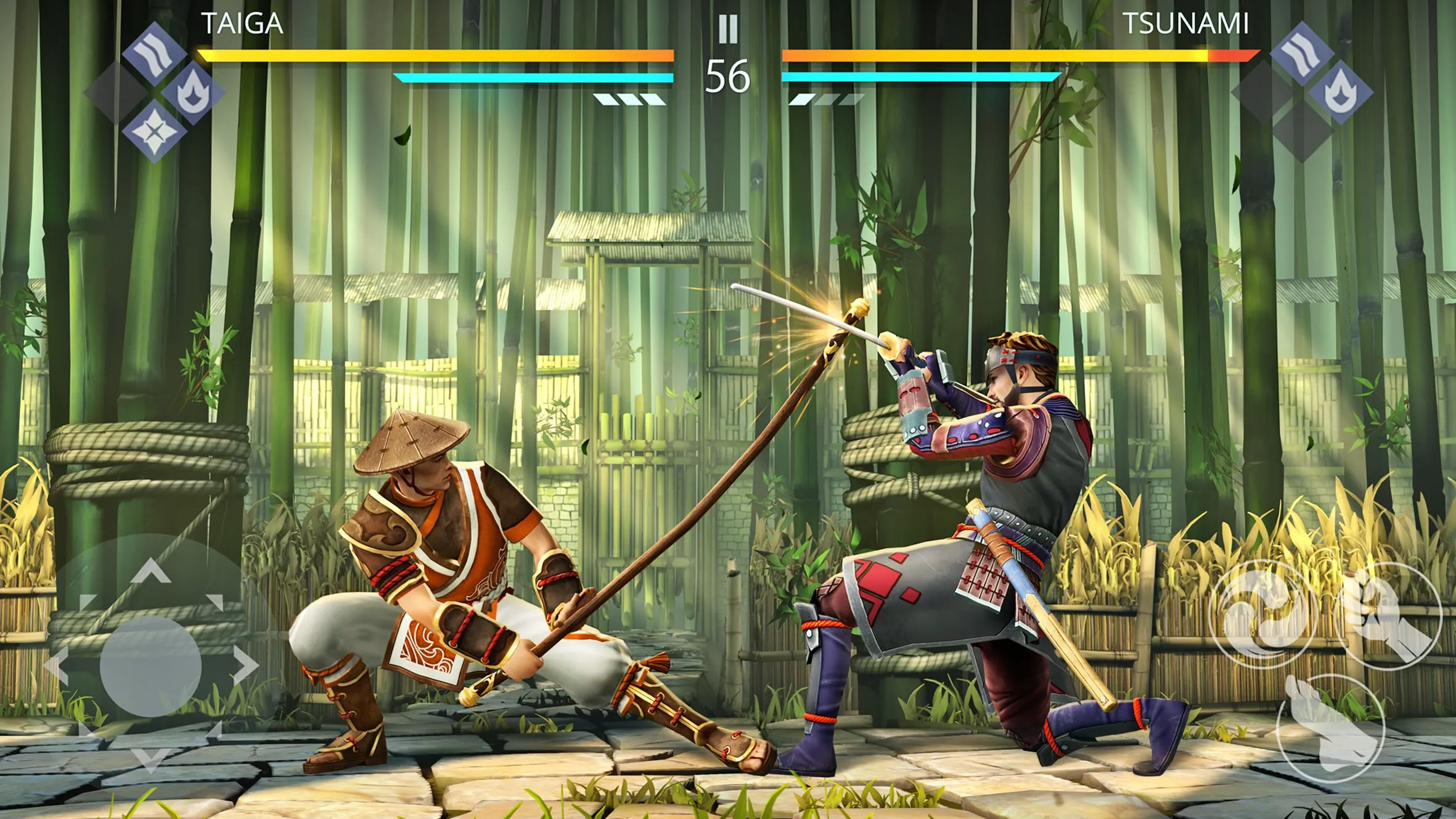
Physics in a Unity project as an example of mobile fighting game: Shadow Fight
Physics has become an integral part of any modern game. Whether it’s a simple cloth simulation or full-fledged transport physics. Mobile games are not an exception.
However, when customizing physics for them, you have to look back at the limitations associated with the relatively low performance of older generation supported devices.
Roman Terskyi, the Lead Technical 3D-Artist of Banzai Games, tells us how his team integrated physics into the gameplay of the mobile fighting game Shadow Fight 3, what tricks they used for optimization and how they rewrote physics for characters to achieve its full determinism in the synchronous PvP.
Physics of solids
The character equipment in Shadow Fight 3 has many elements subject to physical simulation, which adds to the dynamics of what happens on screen.
One of the main difficulties we encountered in setting up the physics for these elements is that the bones they are attached to are within the skeleton hierarchy of the character itself. When they move, they repeat the transformations of the parent bones and do not receive physically realistic momentum.
Bone detail
The simplest solution was the dice detachment. After initializing all the pieces of equipment with the script, we remove the bones of the physically active elements from the character’s skeleton hierarchy and, using the Character Joint component, create a link to the parent bone.
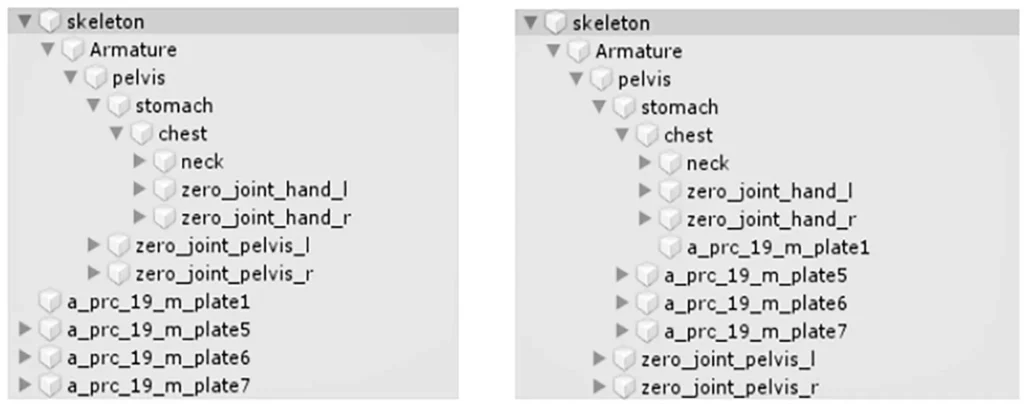
However, we encountered a small error that occurs when fps drops: in this case, the bone exposed to physical simulation “catches up” with a slight delay to the bone associated with the Joint. As a rule, this error is so insignificant that it can be neglected. For the other cases, an alternative solution was applied.
Fake impulse
Let us consider this solution on the example of the Marauder’s helmet, whose Spartan comb is subject to physical simulation. We broke the comb into five parts, each of which was attached to different bones.
In the Joint’s settings of these bones, we set the rotation limits on the desired axis and set the parameter Twist Limit Spring, which is responsible for the effect of the spring.
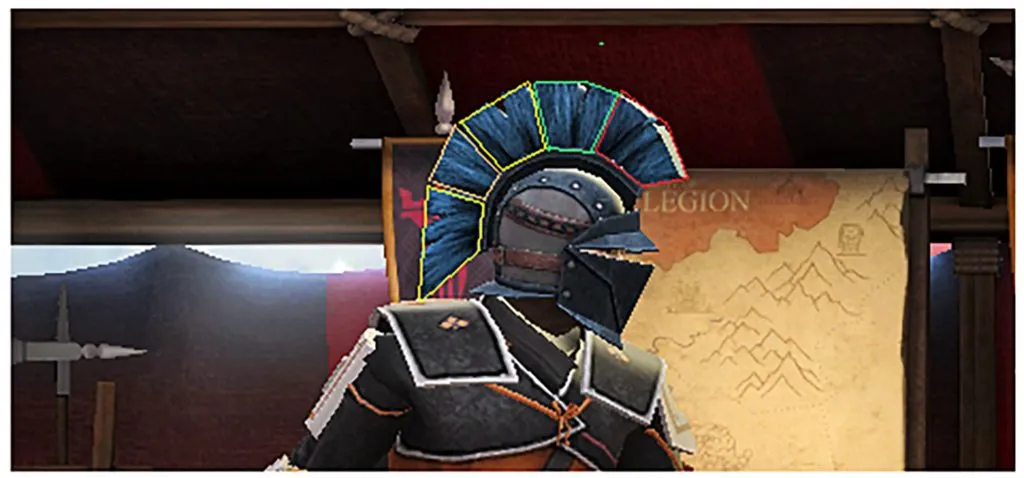
For physically realistic simulation, we took the crest bones out of the character’s hierarchy, but in case of fps slump, for example on a weak device, the mash was dragging ugly because of the “catching up” bones.
So we decided to leave the ridge bones inside the character hierarchy and give them a fake momentum to increase dynamism. To do this, we needed to define in each animation (except the fighting stance) the moment when to apply momentum and its direction.
We could read the number of frames in the current animation, subtract 15-20 frames from that value, and apply the impulse after the resulting difference. However, we managed to avoid unnecessary arithmetic by tying the moment of triggering the pulse to the end of the uninterrupted animation interval.
Each animation (again, with the exception of the fighting stance) has a preset period during which the player cannot interrupt it. When this period expires, or when a hit is received, the uninterrupted interval ends, at which point our impulse is triggered. It was only necessary to set exceptions for several animations.
So the pulse is triggered a few frames before the end of each animation, as we needed it to be. When the impulse is initialized, we read the coordinates where the bone was in the previous and current frame, obtaining the vector of its movement. This is the axis along which our impulse is applied.
Equipment elements
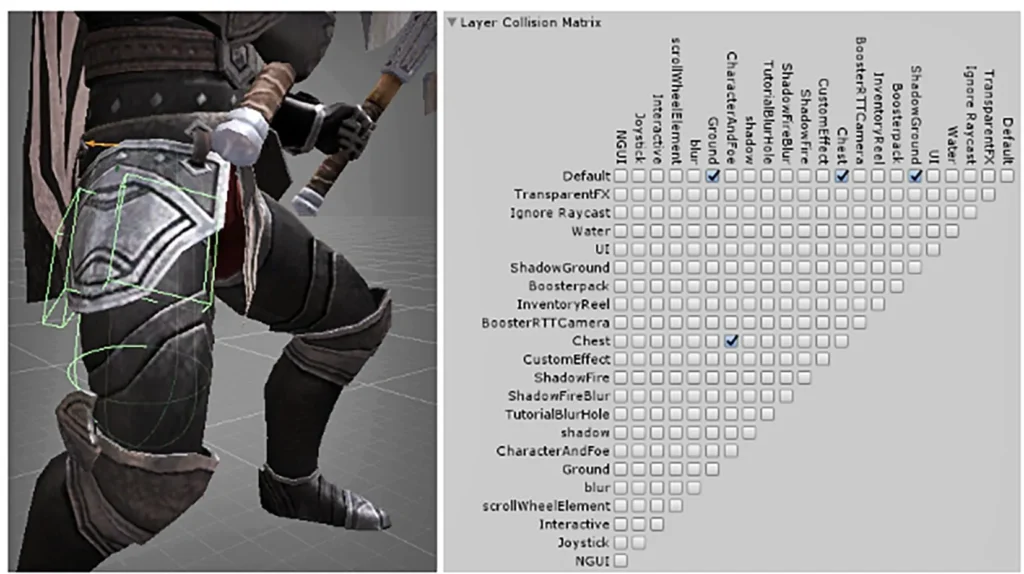
In order to optimize, we try to use colliders as rarely as possible when simulating physics for various elements of character equipment. In most cases, we manage to do this by manipulating only the axis restrictions in the Joint’s settings of the bones for which the simulation is carried out.
In some cases (e.g. with metal plates), the use of colliders is unavoidable. However, the main load is not the presence of colliders, but the calculation of their collisions. Fine-tuning the Layer Collision Matrix in Project Settings helps to minimize this load. We use two separate layers that conflict only with each other for such elements, thus avoiding the miscalculation of collisions with colliders of other layers (weapons, floor, walls, etc.).
Physical clone
Shadow Fight 3 has several types of weapons that use physical simulation outside attacking animations. At the moment, it’s a knife on a chain, a kusarigama, nunchakus and a chain. For the reasons described above, we decided to remove the dice of the weapon from the character hierarchy outside the attacking animations and return them back when physical simulation is not required. Manipulating the Is Kinematic parameter in the Rigidbody component of bones, depending on the situation, we enable and disable physics for them.
However, we encountered an increased load on weak devices when using kusarigama and chain knife and got a slump in fps. The problem occurred precisely when the dice were returned to the character hierarchy and the physical simulation for them was turned off. This is because changing the transforms of the parent bone in the skeleton hierarchy puts a load on the physics engine for every child bone that has a Rigidbody component, even if the Is Kinematic option is active. And the longer the hierarchy, the greater the load.
The solution was to create a physical clone. Consider this on the example of the knife on the chain.
During the loading of the battle, two skeletons are initialized for him: the main one, which is inside the character’s hierarchy, and his physical clone. The bones of the main skeleton do not have a Rigidbody component. Their transformation is affected only by animation tracks. The bones of the second have configured connections (Joints) and a Rigidbody component with the active Is Kinematic parameter.
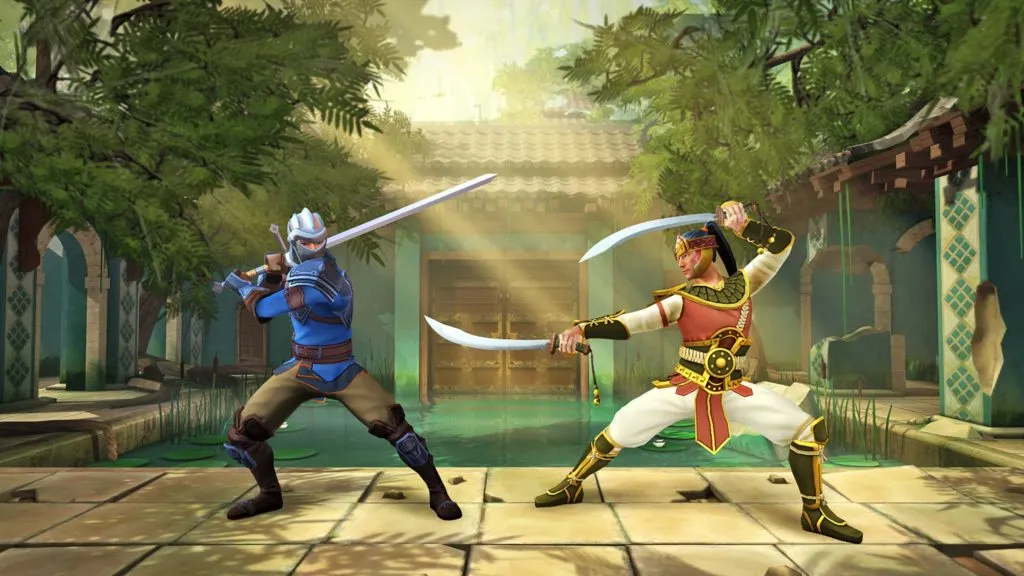
Shadow Fight 3 is well-known for lifelike, physically accurate fighting action with over 20 different punches, kicks, and special moves for each weapon style.
While the transformation of the bones of the main skeleton is influenced by an animation track, for example, during impact, the Is Kinematic parameter in the Rigidbody component of the physical clone bones remains active. Bones are not transformed or physically simulated. During the last frame of the animation, the bone transformations of the two skeletons are synchronized. The physical clone reads the position and rotation of the bones of the main skeleton and sets exactly the same parameters for its own. Is Kinematic is then deactivated and the bones of the physical clone are simulated. Further, until the beginning of the next attacking animation, the main skeleton of each frame reads the transformations of the bones of the physical clone, which at this point move through physics, and sets these parameters to its bones. This approach has significantly reduced the load on the physical engine and improved performance on weak devices.
Tissue simulation
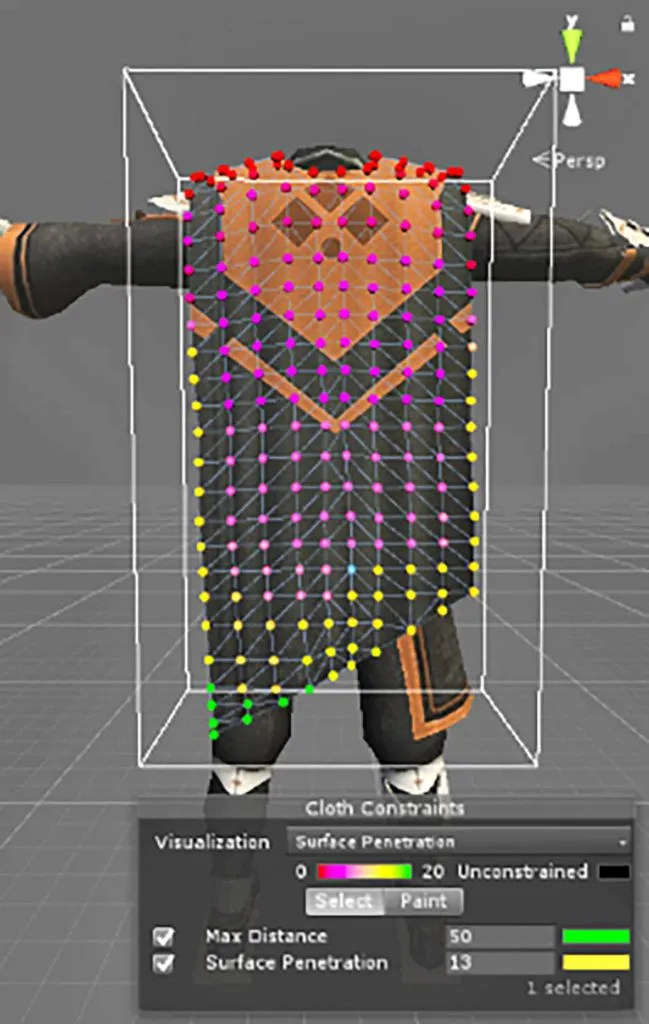
When setting up tissue simulation within mobile device performance, the main limitation is the use of collision tissue with colliders. A cheaper alternative is to fine-tune Surface Penetration for tissue collisions. Since our game has many animations and different character poses, a list of the most “dangerous” of them was compiled, on which all tissues were tested for penetration through other parts of the body.
We also used tissue simulation to create the FX effect of flames on the weapons and on the head of the Shadow Mind boss. In the Cloth settings for these items, we turned off the effect of gravity and set the acceleration (Acceleration) values on the Y-axis: constant for the flames to move upwards, and random – for the fluttering effect. To avoid sharp distortion of the geometry when moving, we set an increased resistance value (Damping). This way we got a fairly realistic and cheap in terms of performance flame effect.

Deterministic physics for synchronous PvP
At the point of death and in certain situations when getting hit for characters in Shadow Fight 3, physics simulation is activated. For a long time, the stock Unity solid physics was used for this. However, when introducing synchronous PvP into the project, it was abandoned in favor of its own development. Synchronous PvP implies equal simulation of the game on two clients. There are no problems with animation, because everything is calculated in advance, while there are certain problems with physics. The thing is that the floating-point calculations used within the physics in Unity work differently on processors from different manufacturers. As a result, character position errors accumulate during the game – on one client, the character is positioned differently than on another. And suppose outside physics, this discrepancy can be easily corrected by periodically synchronizing the position based on the indicators from one of the clients, then at the moment of physics initialization, due to the starting position error. In that case, the physical simulation develops differently on the two clients.
As a result, the character ends up in significantly different places and different positions. After such a discrepancy, sooner or later there will be a situation where on one client the blows will be registered, and on the other one they won’t. The simplest, at first glance, solution is to take the position of the character on one client during the physical simulation and transfer it to the other one, synchronizing them. But the character’s ragdoll is a long hierarchy of bones with a lot of separate independent rigid bodies (limbs, head), for correct synchronization of their positions we need to transfer a large amount of data in a short period of time. This option turned out to be too “expensive”, so we decided to write our own physics, which would be deterministic. So that we can be sure that on any client the physical states of the characters coincide regardless of which processor the calculations are performed on.
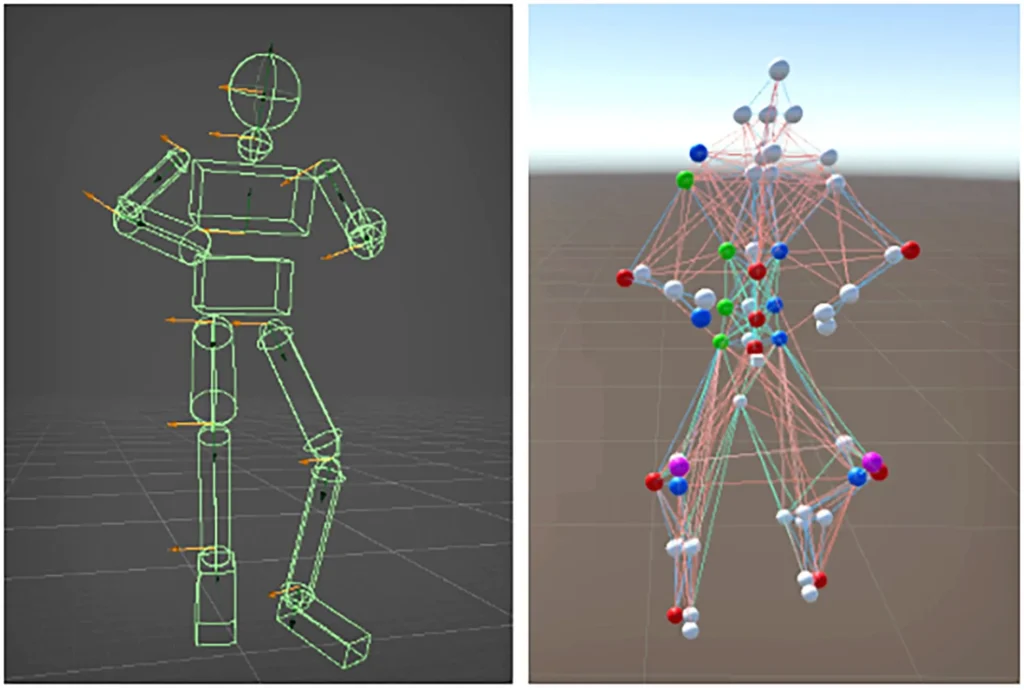
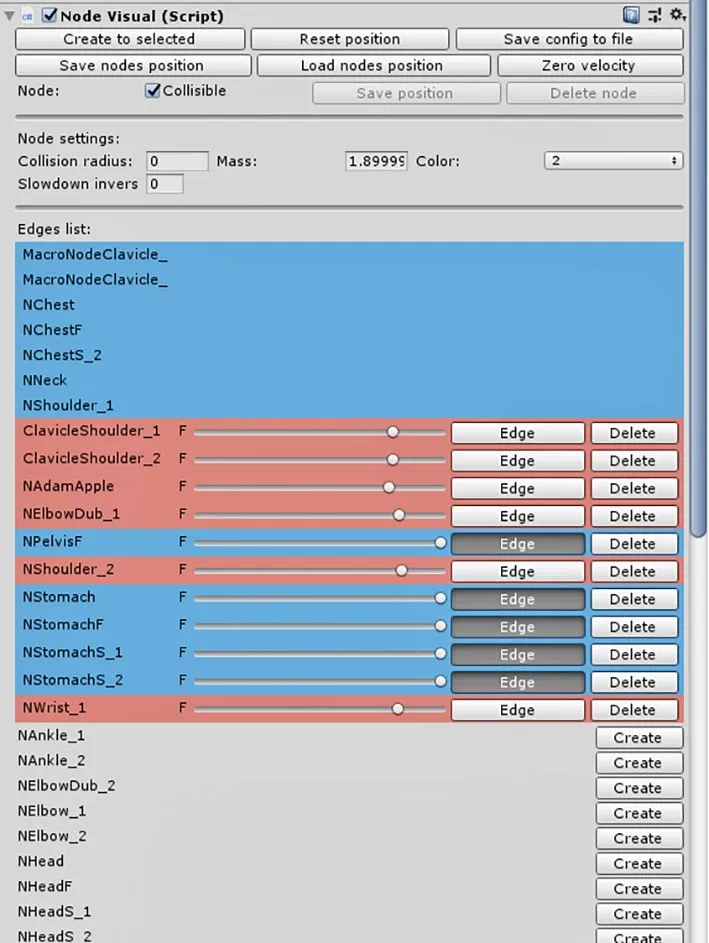
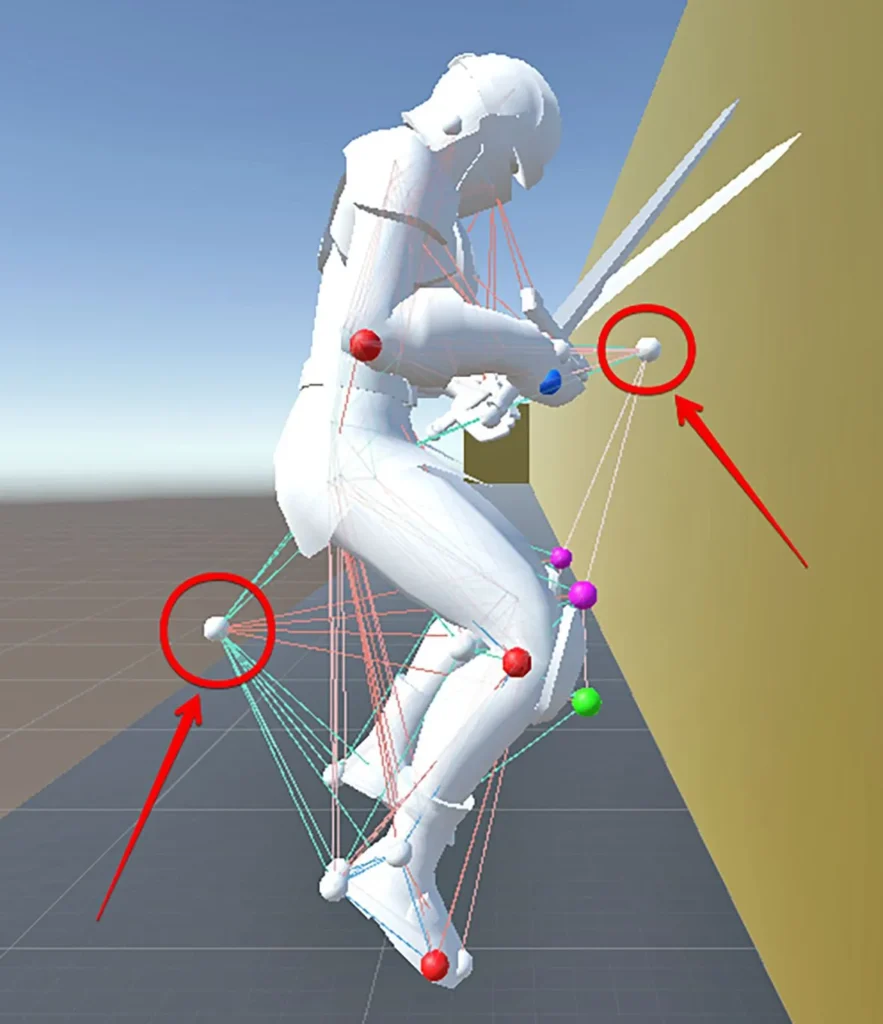
So, what is our ragdoll? The body consists of nodes, which are material points. They have no orientation, but they have position and mass, and the connections of adjustable rigidity are implemented between them. A group of such nodes is attached to each bone within the character’s skeleton. This architecture implies that there are no internal collisions and constraints in the joints, and external collisions and friction are implemented at the node level. When nodes move in space, gravity, external forces, and inertia are taken into account.
There are two types of bonds between the nodes: rigid ribs (blue) and elastic muscles (red). The ribs play the role of bones, forcing the knots to be at a certain distance from each other and preventing them from flying in different directions. Muscles from any starting position form a certain position from the nodes, tightening them if the distance between them is greater than the target value, and pushing them if less.
Let’s look “under the hood” and see how it works. First, we let the nodes move freely, then we iteratively adjust the links so that they are restored to their target characteristics. There are two iterations of rib correction per iteration of muscle correction. By making the ribs stiffer, we can be sure that the rib ties won’t break after the muscles affect the nodes.
As a consequence, the more the nodes have time to shift during the free movement stage, the more computational cost must be invested to rebuild the ribs and muscles. To minimize these costs and the risk of structural failure, we decided to break the iterative process into multiple steps. That is, the free movement of the nodes and their adjustments occur several times in one frame. In one step, the nodes have time to move significantly less, and correcting them becomes much easier. Thus, we seriously save on the number of iterations required to correct ribs and muscles.
A set of muscle lengths determines the target pose to which a character aspires from any position after transitioning into a physical simulation. To avoid too abrupt a transition and disrupting the design, we have added pose interpolation. At the moment we enter physics, we take the character’s current pose and make it the target pose, and then interpolate it to the preset target pose for fifty frames, obtaining a smooth transition.
The main problem we encountered with our physics is the occasional twisting of limbs, mostly arms. At the moment of transition into physics, the character may be in a pose far from the target pose to which the muscles pull him down. To minimize, and in the future completely avoid such situations, we applied a number of measures. First of all, we set up several target poses to which the muscles can tighten the knots. When entering physics, we take the current pose, see which of the preset target poses it is closest to, and tighten the knots to that particular pose.
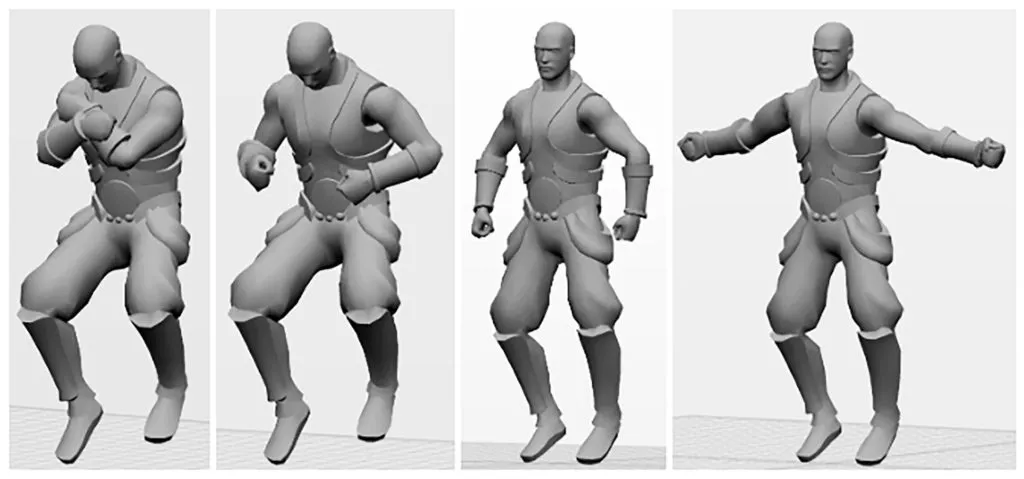
Initially, when going into physics, the muscles were pushing the knots hard, bringing them to the right position. Often the harshness of this pushing also caused the limbs to twist severely. We added a gradual increase in muscle strength, which greatly improved the situation. During the first two frames after the physics simulation begins, the muscle strength is kept at its maximum to stabilize the knots after the impulse is applied to them. Then the muscles relax, their strength becomes 55%, and then over 120 frames, the strength gradually increases up to 100%.
The last step was to add two stabilizing knots: at the front at chest level and at the back at leg level. These knots have rib connections to the fixed chest and pelvic knots, respectively, and the muscles tighten the unstable knots. The stabilizing nodes have a low mass value and have no collision with the floor, unlike the other nodes.
About Shadow Fight 3
Shadow Fight 3 is a role-playing fighting game developed by Banza Games. It is the third installment in the Shadow Fight series and was released 2017 for iOS and Android. Shadow Fight 3 invites players to go on a journey into the world of Shadows, into the times of its biggest turmoil. Goal is to become the greatest warrior to ever walk these lands and discover their darkest secrets. Shadow Fight 3 offers the player three unique fighting schools: you can experiment, mix and match your fighting equipment, learn new tactics and abilities, and explore the huge world full of adventure and unforgettable stories. A highlight of Shadow Fight 3 is the look. Modern 3D graphics, smooth animation and realistic physics – all create a real and colourful gaming world.